
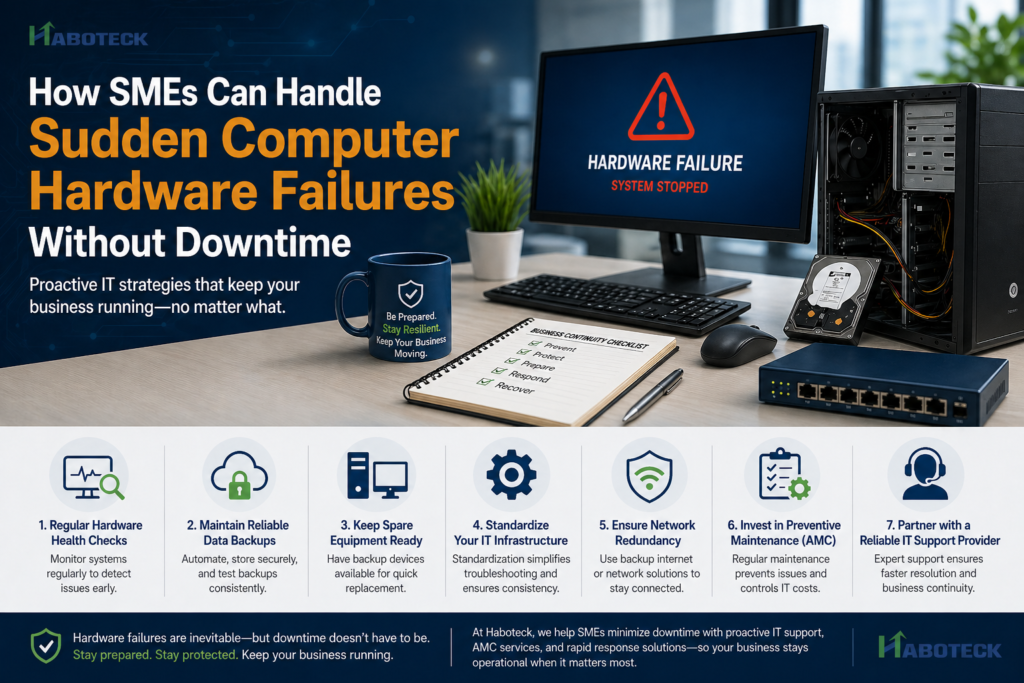
For SMEs, even a 10-minute system failure can disrupt operations, delay deliverables, and impact customer trust. In today’s always-on business environment, unexpected hardware issues can quickly escalate into costly downtime.The good news? With the right strategy, SMEs can manage hardware failures efficiently—without interrupting business continuity.
Why SMEs Can’t Afford Hardware Downtime
Unlike large enterprises, SMEs often operate without redundant systems or dedicated in-house IT teams. A failed hard drive, server issue, or network disruption can:
- Halt daily operations
- Delay customer commitments
- Put critical business data at risk
- Lead to unplanned repair or replacement costs
This is why SMEs need a proactive IT strategy—not a reactive one.
What Causes Hardware Failures?
Understanding the root causes helps businesses prevent issues and respond faster:
- Ageing Equipment – Devices nearing end-of-life are more prone to failure
- Power Fluctuations – Voltage spikes and outages can damage components
- Overheating – Poor ventilation or dust buildup affects performance
- Wear and Tear – Continuous usage without maintenance
- Improper Handling – Physical damage or mishandling
How SMEs Can Minimize Downtime During Failures
1. Implement Regular Hardware Health Checks
Routine monitoring helps detect early warning signs before failures occur. Tracking disk health, system performance, and temperature ensures stability.
2. Maintain Reliable Data Backups
Data is your most valuable asset. A strong backup strategy should include:
- Automated daily backups
- Secure cloud or offsite storage
- Regular backup testing
This ensures quick recovery—even in worst-case scenarios.
3. Keep Spare Equipment Ready
Having standby devices like desktops, laptops, routers, or storage drives allows teams to continue working while faulty systems are repaired or replaced.
4. Standardize Your IT Infrastructure
Standard configurations make troubleshooting faster, replacements easier, and IT management more efficient.
5. Ensure Network Redundancy
A backup internet connection or secondary network setup ensures uninterrupted connectivity during outages.
6. Invest in Preventive Maintenance (AMC)
Annual Maintenance Contracts (AMC) provide a proactive approach through:
- Regular system servicing
- Priority technical support
- Faster issue resolution
- Predictable IT costs
7. Partner with a Reliable IT Support Provider
A trusted IT partner ensures quick response and expert handling during critical situations. They can:
- Diagnose issues rapidly
- Repair or replace components efficiently
- Provide long-term IT strategy guidance
Building Resilience Against Hardware Failures
Hardware failures are inevitable—but downtime doesn’t have to be.
By adopting a proactive IT strategy, maintaining reliable backups, and ensuring access to expert support, SMEs can keep operations running smoothly—even during unexpected disruptions.
At Haboteck, we help SMEs minimize downtime with proactive IT support, AMC services, and rapid response solutions—so your business stays operational when it matters most.